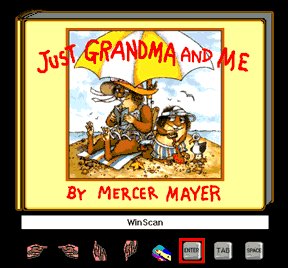
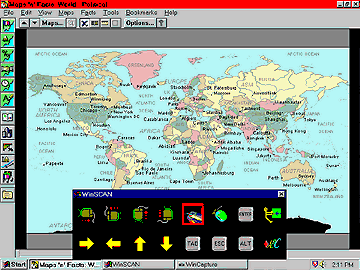
WinSCAN can be easily tailored to operate popular educational software, games, and multimedia programs for children and adults. The first illustration below shows a custom WinSCAN setup using picture icons for Grandma & Me®, one of the popular Living Books from Broderbund Software. The second screen shows the general WinSCAN setup being used to operate the Maps 'N' Facts® CD-ROM, an educational geography program, also by Broderbund.
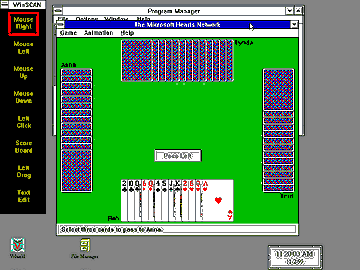
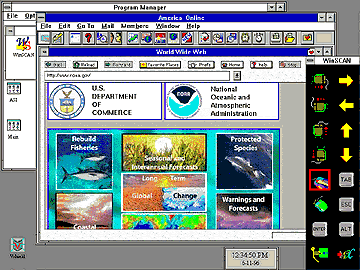
WinSCAN is designed for adults as well as children. The next two illustrations show various WinSCAN setups for playing the Microsoft Hearts game and for surfing the Internet using the America On-Line browser.
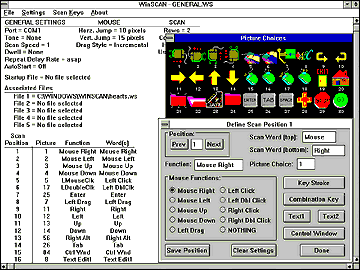
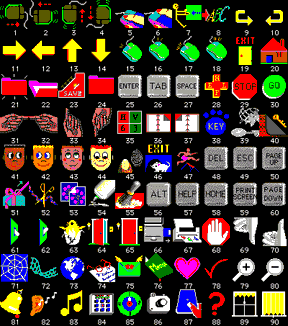
The next series of illustrations below show a portion of the WinSCAN setup design program, the built-in picture icon library, and several of the many scanning control display designs available to the user.
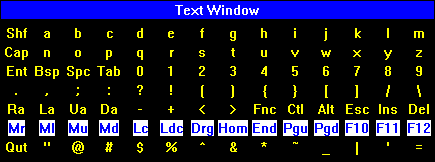 WinSCAN, v2.0, offers two different special function displays for entering text. This illustration shows the Full Text Entry Window positioned horizontally for efficient row/column scanning. Notice that this Window gives the single-switch user mouse control as well as full keyboard access.
 Visit our FREE DOWNLOAD page to receive the latest version of the WinSCAN-DEMO program. Also check out the WinSCAN Setup Download Library where you can find or pass on the best WinSCAN setup designs for particular programs and purposes.
 Return to the previous page
 Return to the ASI home page