You should know about ...
WinSCAN 3.0 CS!
The Most Versatile and Powerful
Single-Switch Interface for PCs with Windows
Just Got Much Better!
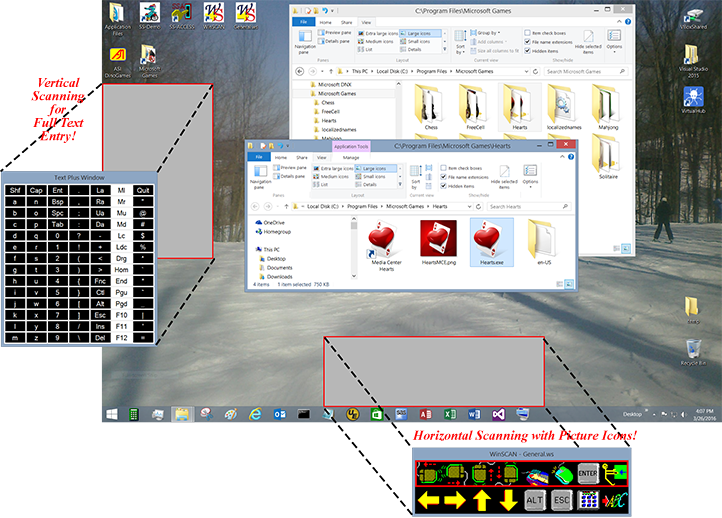
 WinSCAN creates scanning displays containing words or pictures representing functions you need to navigate Windows and operate particular programs. The display scans vertically, horizontally, or by row or column and can be repositioned on the PC desktop. You can create (or download) custom setups for particular programs, print them, save them on disk for re-use or further editing, link them together, or use them to start your PC automatically with WinSCAN up and running.
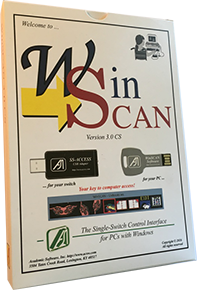
WinSCAN works with most external adaptive switches. It includes the software (on an 8gb flashdrive with plenty of extra room to carry movies, books, and files when you go out); a detailed User's Guide, the SS-ACCESS USB Adapter for your switch, and SS-Demo, a fun single-switch demonstration from ASI.
WinSCAN 3.0 CS retains the simplicity and ease of use of earlier versions, while offering a host of powerful features:
-
90 built-in icons to represent scan functions, now in 3 sizes (small, normal, and large)
-
Up to 20 scan positions can be defined in the main scanning display
-
User-defined number of rows and columns in the display (e.g., 1x10, 4x5, 7x2, etc.)
-
Choice of linear (horizontal or vertical), row/column, or column/row scanning
-
Choice of audible tone modes (none, as scan progresses, or at each switch activation)
-
A variable-length "dwell" or "activation delay" function gives the user time to attend the screen to see the consequences of input
-
Two different DRAG modes to meet most normal dragging requirements
-
Precision controls for mouser cursor positioning and dragging operations
-
"Text Plus" and "Text Only" special functions provide extensive keyboard and mouse emulations when needed
-
A "Control" special function allowing the single-switch user to adjust scan speed, drag mode, and many other program settings independently
-
A powerful capability to create and link associated setups for multiple programs and to switch among these setups swiftly and independently.
-
Plus many other small improvements that all WinSCAN users will appreciate

|
$150.00 pkg
+ shipping
|
|
 Want more details? Preview the WinSCAN 3.0 CS User's Guide.
 Return to the ASI home page
Copyright © 2016 Academic Software, Inc.
All Rights Reserved